> ## Documentation Index
> Fetch the complete documentation index at: https://docs-dev.byterover.dev/llms.txt
> Use this file to discover all available pages before exploring further.
# Overview
> Browser-based UI for ByteRover, served by your local daemon on localhost
## Why a web UI?
Some things are just faster in a browser — reading long context files, scanning diffs, kicking off a task and walking away. The web UI gives you a visual way to do everything ByteRover already does, without replacing the CLI or TUI. It runs on your own machine, served by the local daemon, so nothing leaves your laptop unless you explicitly push.
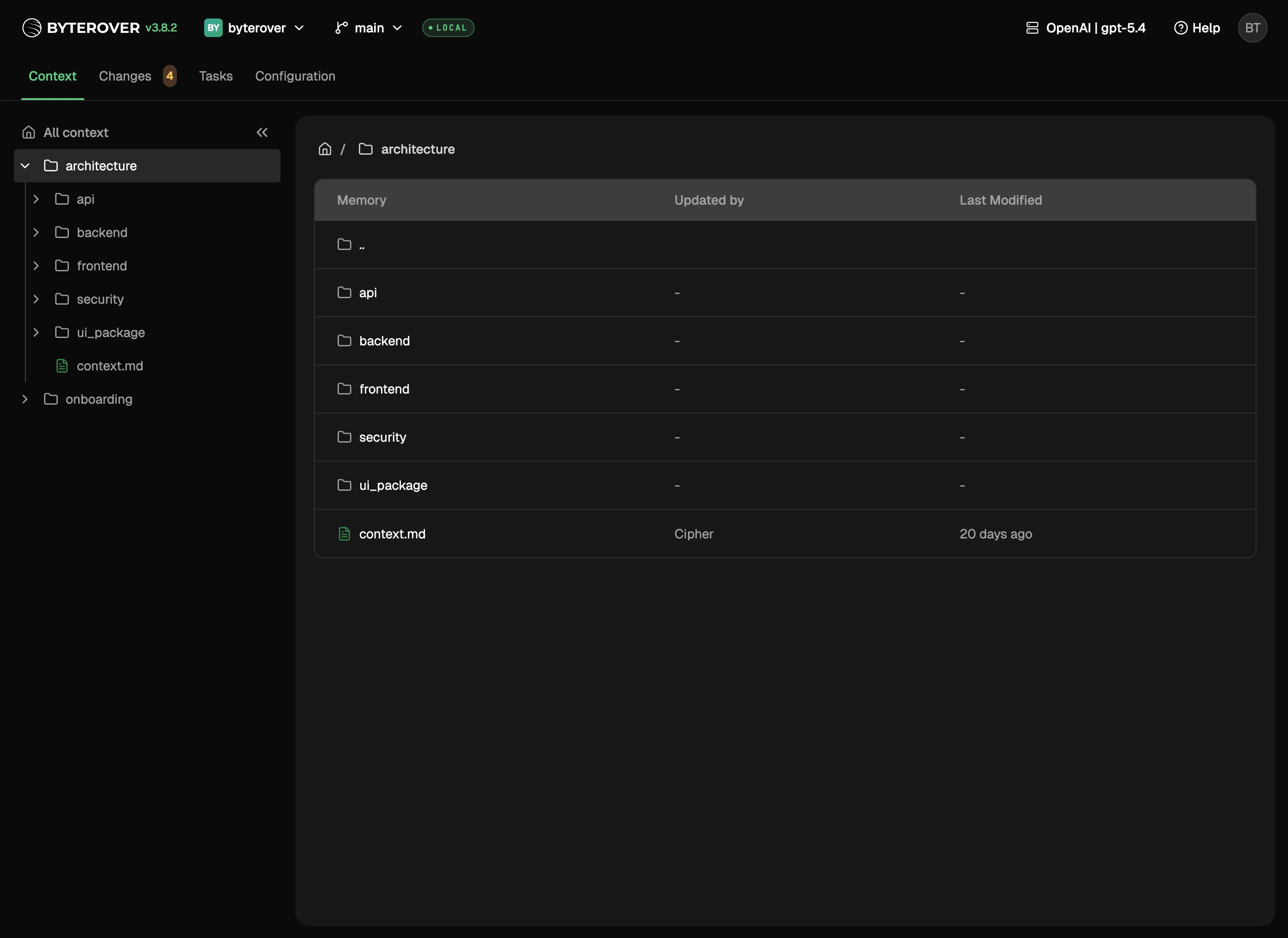 The header also shows a compact ByteRover credits pill (e.g. `12.4k cr`) when the built-in provider is active — see [Providers & Models](/local-web-ui/providers-and-models#credits-in-the-header).
## What you get
Switch between projects from the header.
Run curate and query tasks visually.
Browse and edit your project's context tree.
Review and commit changes to your context tree.
Manage git identity, the origin remote, and agent connectors.
Connect LLM providers and pick a model.
## How it fits with CLI and TUI
The CLI, TUI, and web UI are three ways to drive the same ByteRover. Pick whichever matches the moment.
| Client | Best for |
| -------------------------------------- | ---------------------------------------------------------------------------- |
| **CLI** (`brv query`, `brv curate`, …) | Agent-driven calls and one-shot commands |
| **TUI** (`brv`) | Keyboard-first interactive sessions in the terminal |
| **Web UI** (`brv webui`) | Visual authoring, diff review, identity and remote setup, long-running tasks |
## Local-first
* Runs on your machine at `http://localhost:` — not exposed to the network
* Context, tasks, and history come straight from your local `.brv/` directory
* Pushing to the remote space is always an explicit action
## Next steps
Launch the web UI.
Fix common issues.
The header also shows a compact ByteRover credits pill (e.g. `12.4k cr`) when the built-in provider is active — see [Providers & Models](/local-web-ui/providers-and-models#credits-in-the-header).
## What you get
Switch between projects from the header.
Run curate and query tasks visually.
Browse and edit your project's context tree.
Review and commit changes to your context tree.
Manage git identity, the origin remote, and agent connectors.
Connect LLM providers and pick a model.
## How it fits with CLI and TUI
The CLI, TUI, and web UI are three ways to drive the same ByteRover. Pick whichever matches the moment.
| Client | Best for |
| -------------------------------------- | ---------------------------------------------------------------------------- |
| **CLI** (`brv query`, `brv curate`, …) | Agent-driven calls and one-shot commands |
| **TUI** (`brv`) | Keyboard-first interactive sessions in the terminal |
| **Web UI** (`brv webui`) | Visual authoring, diff review, identity and remote setup, long-running tasks |
## Local-first
* Runs on your machine at `http://localhost:` — not exposed to the network
* Context, tasks, and history come straight from your local `.brv/` directory
* Pushing to the remote space is always an explicit action
## Next steps
Launch the web UI.
Fix common issues.