> ## Documentation Index
> Fetch the complete documentation index at: https://docs-dev.byterover.dev/llms.txt
> Use this file to discover all available pages before exploring further.
# Projects
> Work across multiple projects from a single browser session
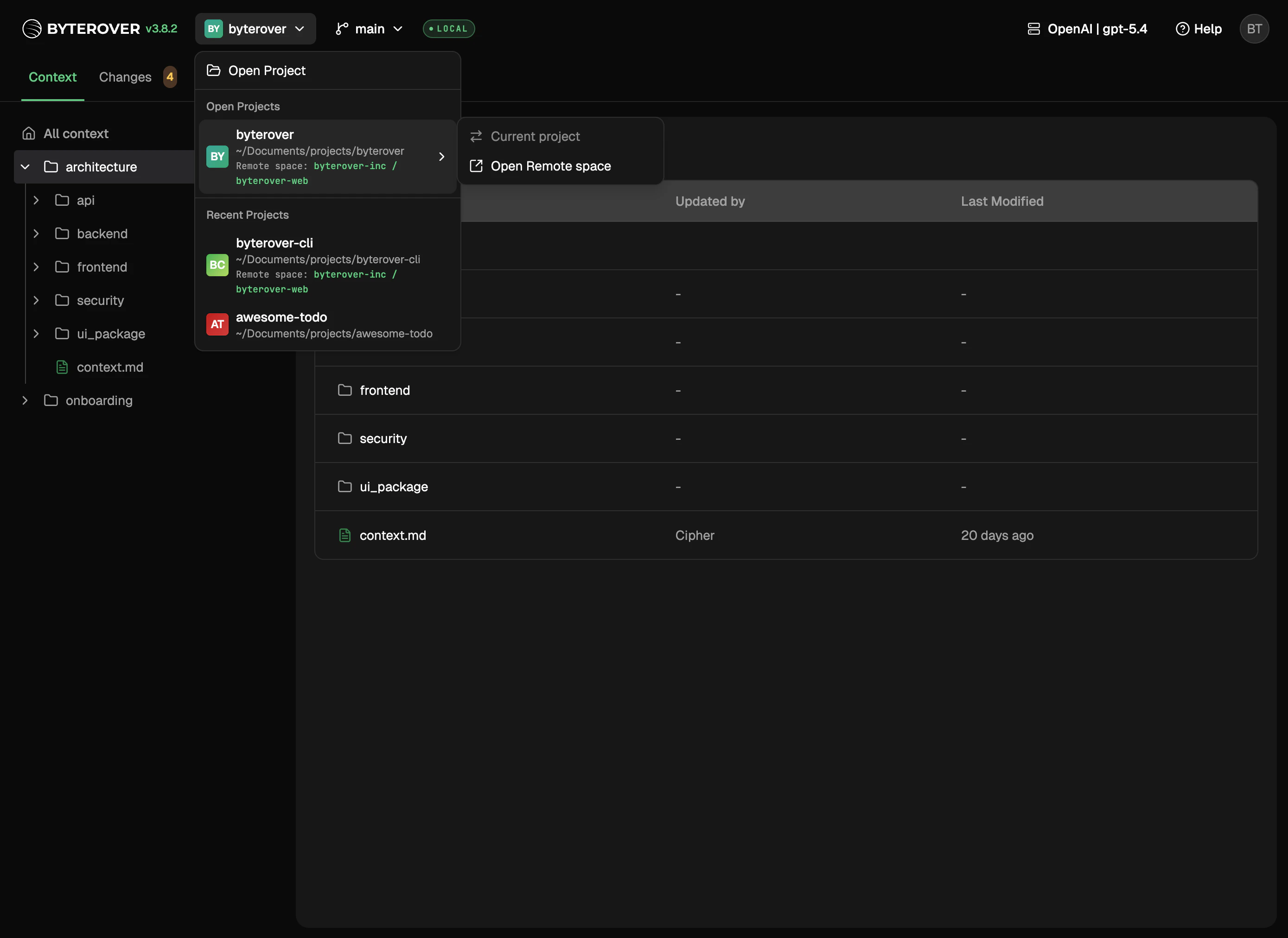
The web UI works on one project at a time. From anywhere in the UI, you can jump to any other project ByteRover has seen on this machine.
 ## What you can do
* Switch between projects you're actively working on
* Pick up where you left off in projects you've opened recently
* Browse your full project list when you have more than fit at a glance
## Opening a new project
`cd` into the folder and run `brv webui`. Each folder ByteRover sees becomes its own project.
## Linking to a remote space
Projects that are linked to a [remote space](/context-tree/the-remote-space) show the link in the UI. The link itself is managed from the CLI.
## Next steps
Run curate and query tasks.
Browse and edit your context tree.
## What you can do
* Switch between projects you're actively working on
* Pick up where you left off in projects you've opened recently
* Browse your full project list when you have more than fit at a glance
## Opening a new project
`cd` into the folder and run `brv webui`. Each folder ByteRover sees becomes its own project.
## Linking to a remote space
Projects that are linked to a [remote space](/context-tree/the-remote-space) show the link in the UI. The link itself is managed from the CLI.
## Next steps
Run curate and query tasks.
Browse and edit your context tree.